

A CrewdUp account belongs to one team. When you sign up, you create the team and become its team admin. You can sign up with an email and password, which lets you pick a plan, or with Google, which always starts you on Free.
This guide is for people starting a new team. If a manager sent you a link to join their team, see join a team instead.
Short version
Go to crewdup.com/auth, click the Sign Up tab, fill in your team name and your details, click Continue →, choose a plan and click Create Account.
Sign up with email
- On crewdup.com, click Start for free, or go to crewdup.com/auth and click the Sign Up tab.
- Fill in the form:
- Team / Organization Name, for example your company or department. At least 2 characters.
- First Name, Last Name and Email.
- Password, at least 6 characters.
- Click Continue →.
- On Choose your plan, pick Free, Starter or Pro. Free is selected already. Compare all plans → opens the pricing page in a new tab, and ← Back returns to the form.
- Click Create Account. The button reads "Creating your team..." while it works.
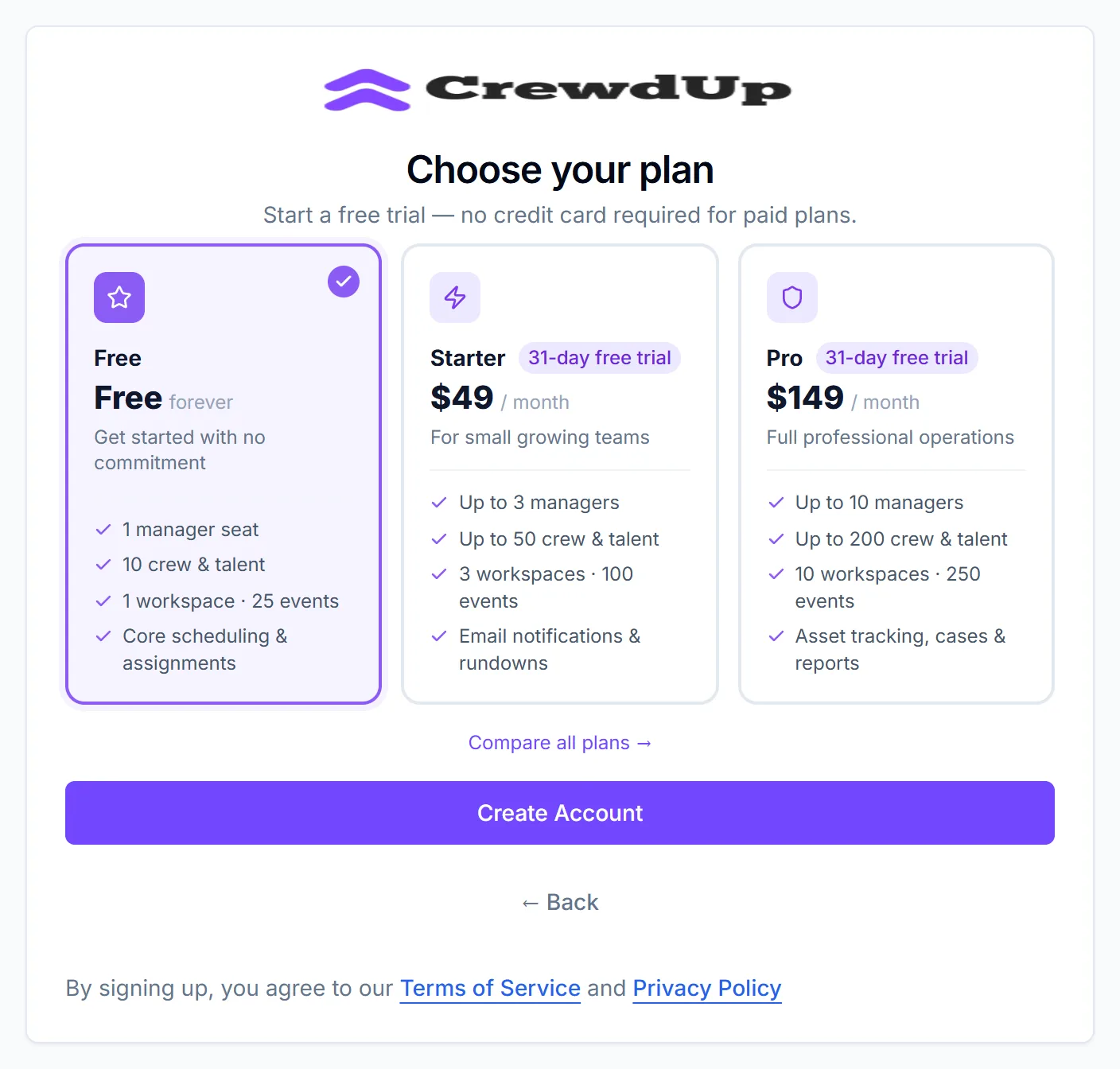
Every field is required. If one is empty you'll see "Please fill in all fields."
Choose a plan
| Plan | Price on the card | Covers |
|---|---|---|
| Free | Free forever | 1 manager seat, 10 crew and talent, 1 workspace, 25 events |
| Starter | $49 / month, 31-day free trial | Up to 3 managers, 50 crew and talent, 3 workspaces, 100 events |
| Pro | $149 / month, 31-day free trial | Up to 10 managers, 200 crew and talent, 10 workspaces, 250 events |
Choosing Starter or Pro here starts a 31-day trial with no credit card. You can stay on Free for as long as you like. See plans and limits for what each plan includes.
Sign up with Google
The Sign in with Google button is on the Sign In tab, under "Or continue with". The Sign Up tab doesn't have one.
If your Google email is new to CrewdUp, clicking it creates a team for you named after you, for example "Sam's Team", and makes you its team admin. You'll see "You have been signed in with Google."
- A Google sign-up is always on Free. There's no plan choice and no trial at this point.
- You can start a Starter or Pro trial later from Billing. That checkout asks for a card. See upgrade or change your plan.
- If your Google email already has a CrewdUp account, Google signs you in to that account.
What happens next
- You land on your manager dashboard with "Your account and team are ready. Welcome to CrewdUp!"
- CrewdUp creates a "Default Workspace" for your events.
- You get a "Welcome to CrewdUp!" email.
- If you chose Starter or Pro, you also get "Your CrewdUp {Plan} trial has started", with the date your trial ends.
All CrewdUp email comes from CrewdUp <info@crewdup.com>. Add that address to your contacts so these don't land in spam.
Things to know
- One email, one account. If the email is already used, you'll see "An account with this email already exists". An email address can't belong to two teams.
- Joining someone else's team? Don't use Google. On an invite link page, Sign in with Google creates a new team of your own instead of joining. Use the email form on that page.
- There's no field for an invite code. Invites work from the link in the email.
- Sign-in attempts are limited to 20 every 15 minutes for each email address.
Checklist
- Team name chosen
- Plan picked (Free, or a Starter or Pro trial)
- Welcome email received
- info@crewdup.com added to your contacts
- Next: set up CrewdUp in 15 minutes