

If you can't remember your password, you can reset it from the sign-in page. This is also the only way to change your password: your profile has no password setting.
Short version
Go to crewdup.com/auth, click Forgot your password?, enter your email and click Send Reset Email. Open the email and follow the link to set a new password.
Request a reset email
- Go to crewdup.com/auth. If you're signed in, log out first from the user menu.
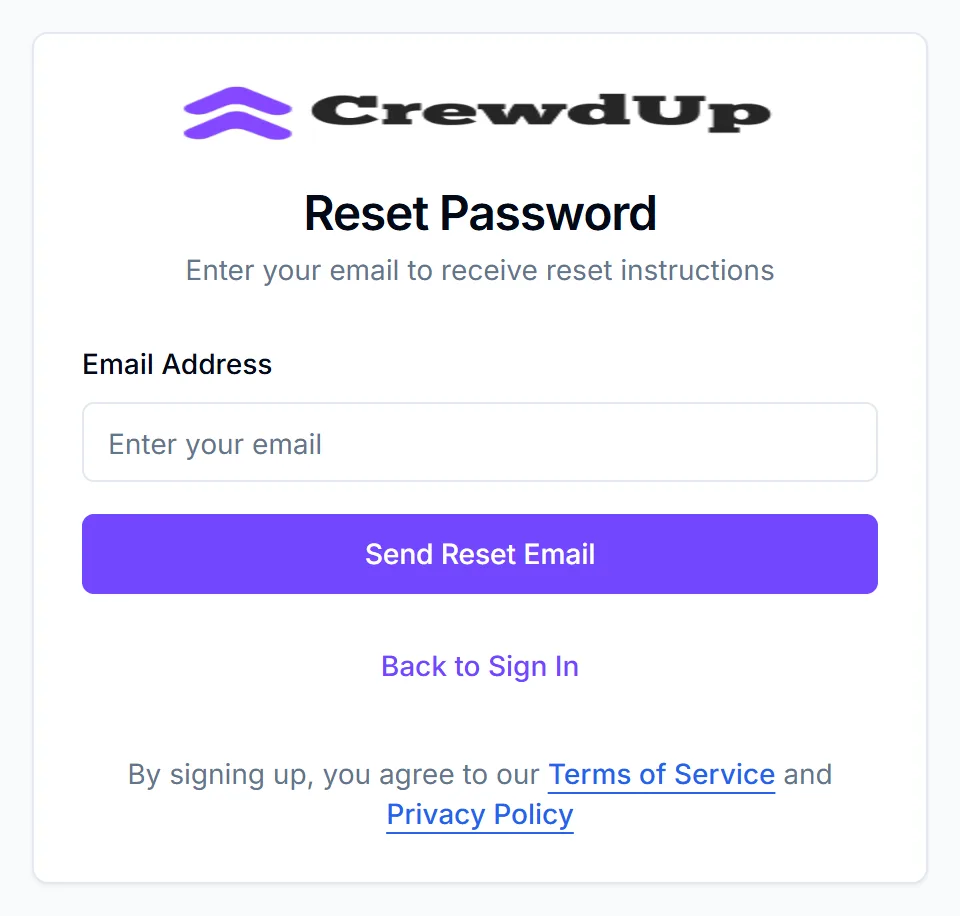
- On the Sign In tab, click Forgot your password?. The card changes to Reset Password.
- Enter your Email Address.
- Click Send Reset Email.
You'll see "Reset email sent" and "If an account with this email exists, you'll receive reset instructions shortly." CrewdUp shows the same message whether or not the email has an account.
Back to Sign In returns you to the sign-in form.
Set a new password
You'll get an email with a link to set a new password. Check spam if it doesn't arrive in a few minutes.
Open the link and follow the steps to choose a new password, then sign in with it.
If you joined from a team join link
If you created your account from a join link a manager sent you, the email is titled "Reset Your CrewdUp Password". It comes from CrewdUp <info@crewdup.com>.
- Click Reset Password in the email. The link expires in 1 hour.
- On Set New Password, enter your New Password (at least 6 characters) and type it again in Confirm Password.
- Click Update Password.
You'll see "Password reset successful", and you're back on the sign-in form. Each link works once. If it has expired or was already used, you'll see "Invalid or expired reset token". Request a new email.
Sign in
- Go to crewdup.com/auth and stay on the Sign In tab.
- Enter your email and password, then sign in.
If you signed up with Google, click Sign in with Google under "Or continue with" instead.
If the email or password is wrong, you'll see "Login failed" and "Invalid email or password".
Things to know
- Too many tries. CrewdUp allows 20 sign-in attempts, and 20 reset requests, every 15 minutes. If you hit the limit, wait 15 minutes and try again.
- Use the email you signed up with. Changing the email on your profile doesn't change your sign-in email. Reset with the address you sign in with.
- Google accounts. If you normally sign in with Google and request a reset, a password is added to your account.
- One email, one account. You can't have two CrewdUp accounts on the same email address.
- Still no email? Check your spam folder again, make sure you used your sign-in email, and see emails not arriving.
Checklist
- Signed out
- Reset requested with your sign-in email
- Spam folder checked
- New password set and signed in